Reset your Password
Support
September 22, 2021
How to Reset your Password
Follow the instructions below to reset your password. And as always, if you have issues, reach out to us at support@env-int.com
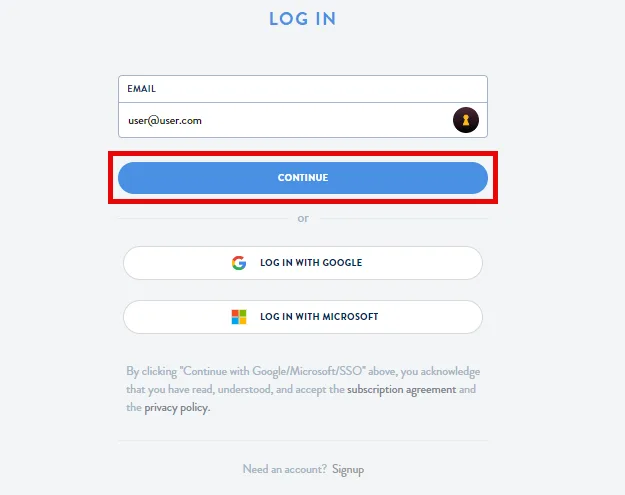
Step 1: Go to Login Page, Type in your Ei account email, and select Continue
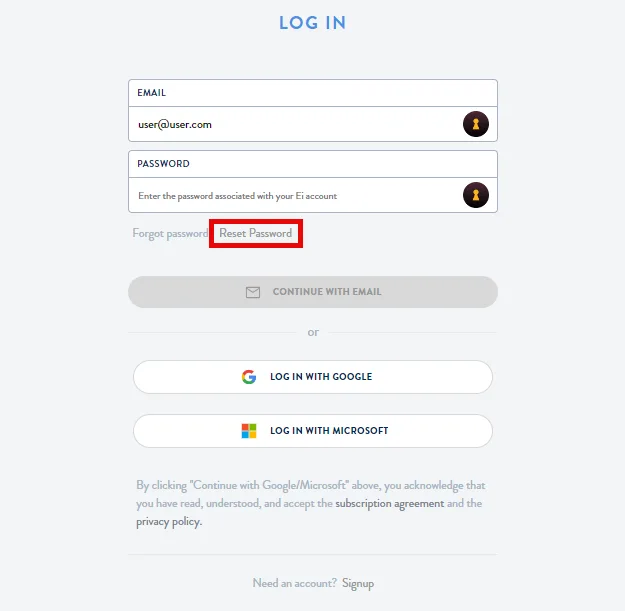
Step 2: Click on Reset Password
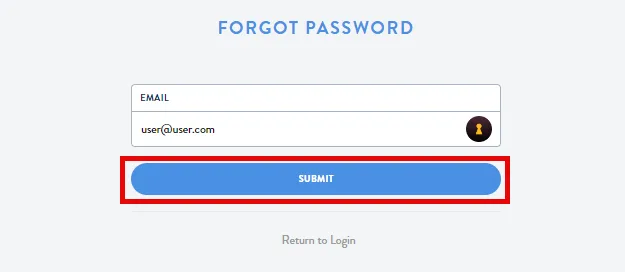
Step 3: Enter Your Email and Select "Submit"
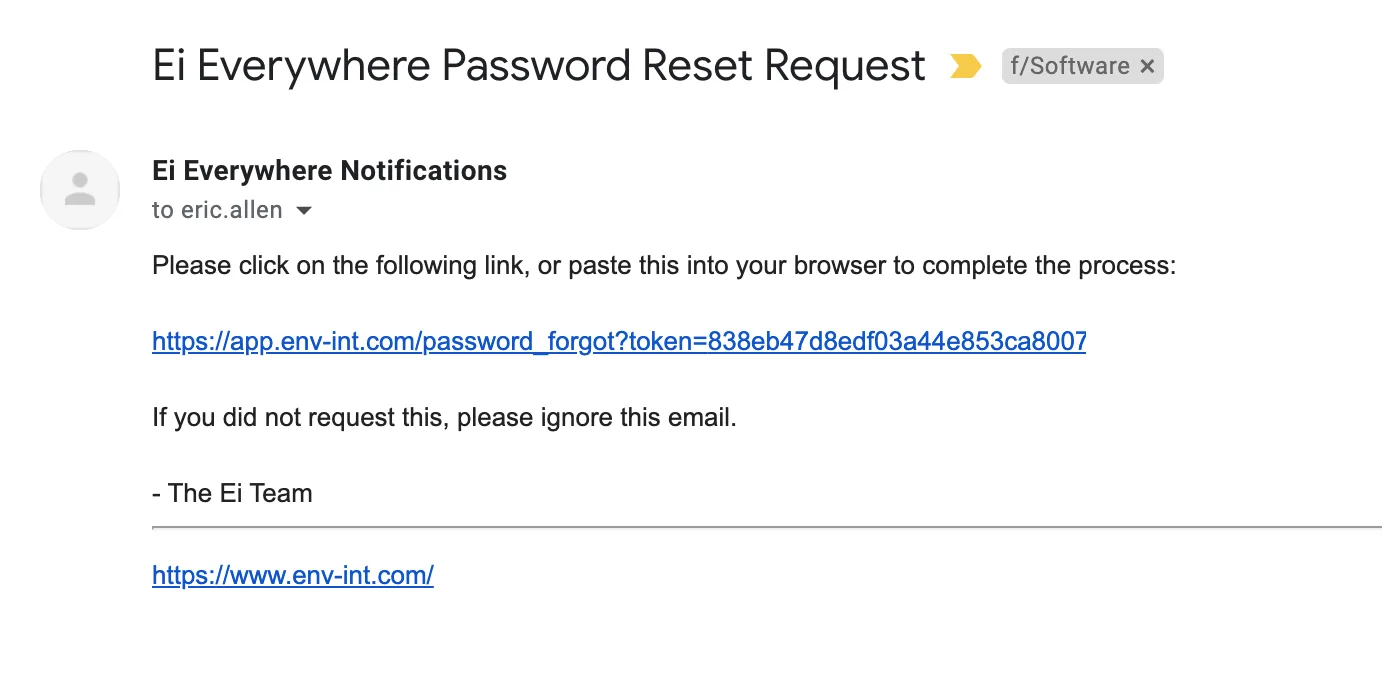
Step 4: Click the Link in the Email
Step 5: Enter your Email and a New Password
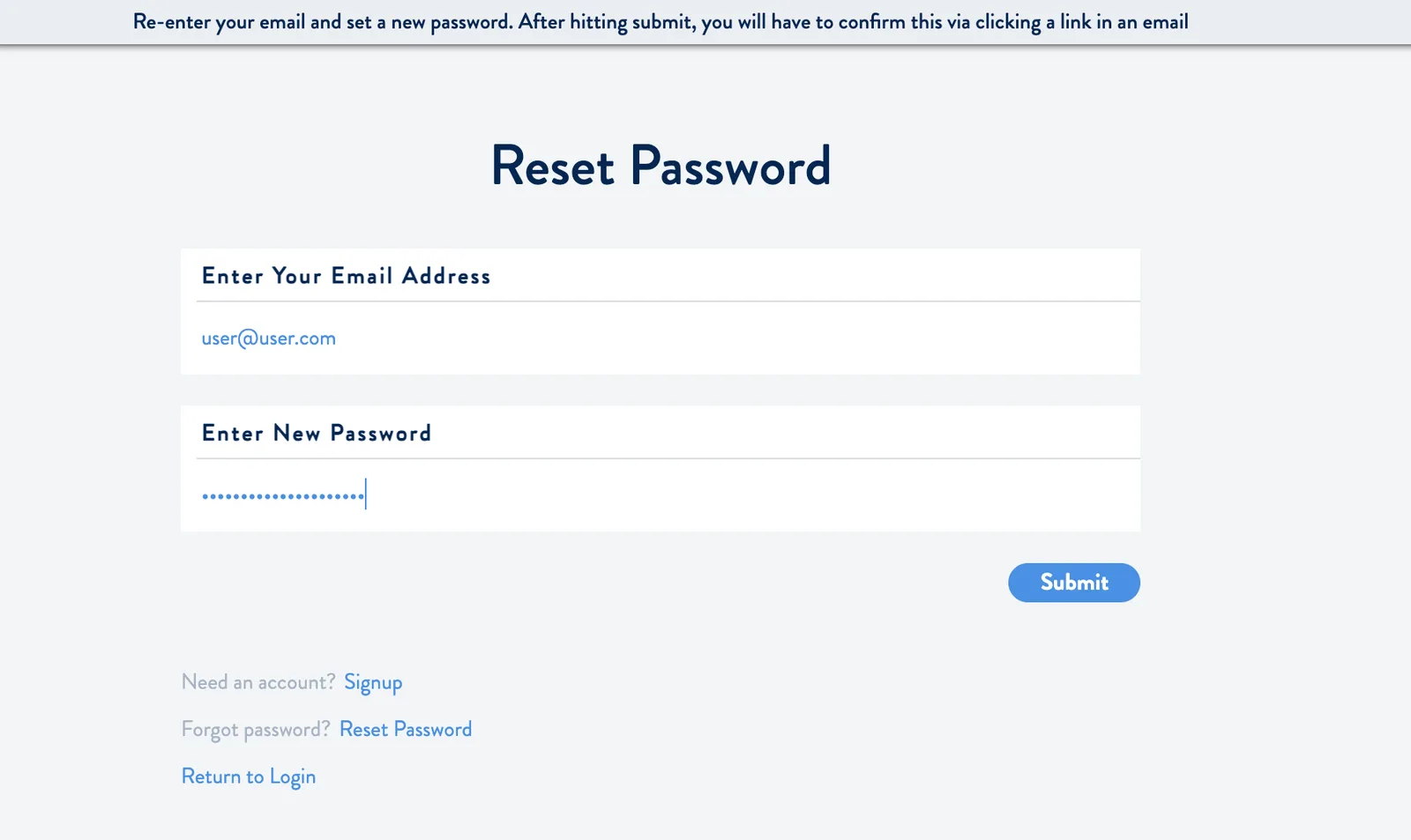
Please remember, a strong password is important to keeping your Ei Everywhere account secure.

Finding a better way.