Sign-up for Ei Everywhere
Easy steps to sign-up for Ei Everywhere and ensure your and your company's data is safe
This article covers how to sign-up for access to Ei Everywhere.
Step 1: Get Invited to Ei Everywhere
This article covers how to sign-up for access to Ei Everywhere. Typically you will receive an email saying "You've Been Invited to Ei Everywhere".
Refer to this article for more information on how to be invited to an organization!
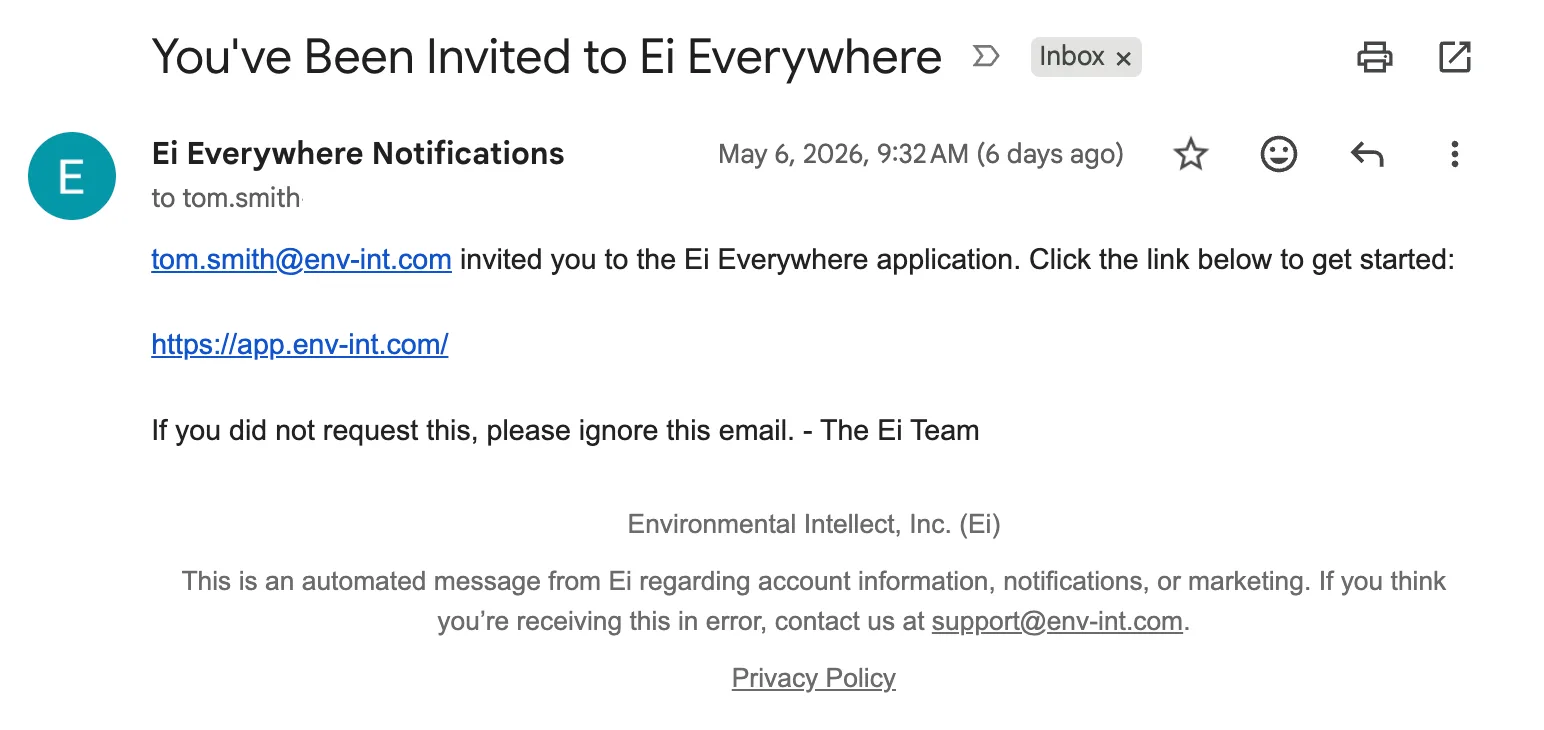
Once you do this, you'll move to Steps 2-5, which is where you will sign-up based on the login requirements of your company, either using SSO or with email/password.
Step 2A: Sign-In to Ei Everywhere Using SSO
From the email, click the link through to navigate to the sign-in page. If your organization is using SSO, enter your email and click "Continue". From there, you should be redirected to the relevant SSO login method.
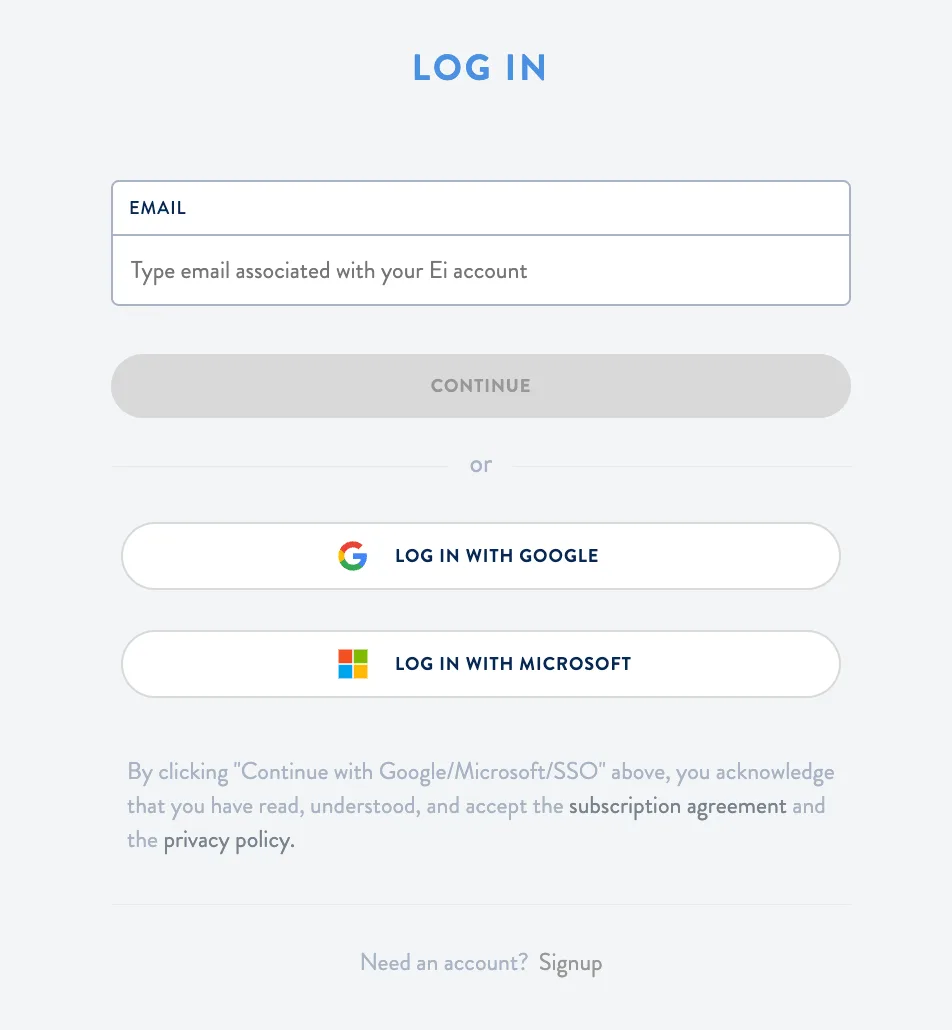
Step 2B: Create your login and password
If your organization is not using SSO, you will have to create an email and password.
From the email, click the link through to navigate to Ei's login page and click the "Sign Up" option. When creating your password, you will have to follow the Password Policy requirements (see this article for more information).
Alternatively, you can go directly to https://app.env-int.com/signup with either Google Chrome, Edge, or Safari.
Important Note: you must use the same email that was invited in Step 1 (even if your company has multiple variations of your email login, such as
user@ei.comanduser@env-int.com).
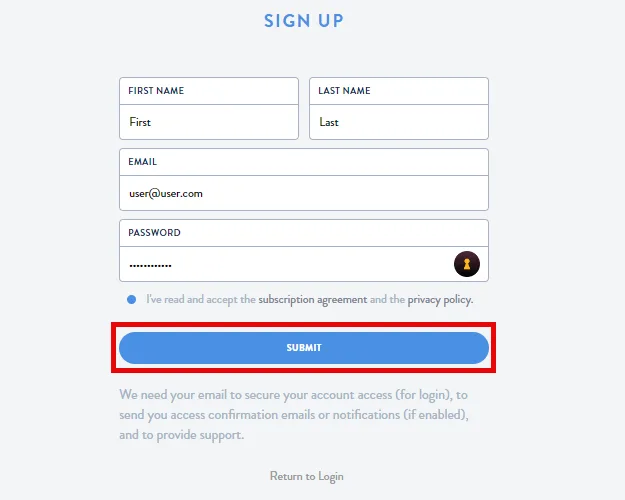
Step 3: Confirm Your Account
After successfully creating your account in Step 2 above, you'll have to confirm your email address. To do this, check your inbox for a Please Confirm your Account email. Click the link in the email to confirm your account.
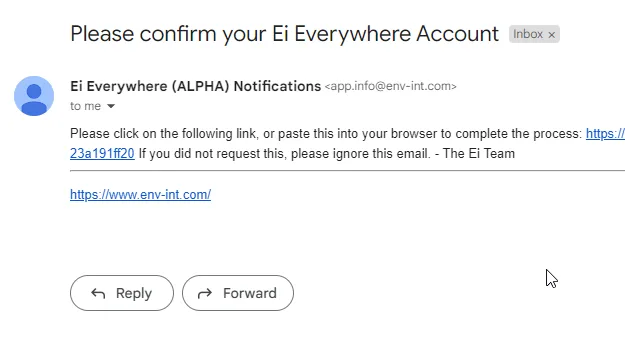
Step 4: Login To Your Account
The link from Step 2 will take you to the sign-on page. Or, you can navigate to app.env-int.com. Enter your email and password to access the application.
Step 5: Confirm Your Access with 2 Factor Authentication
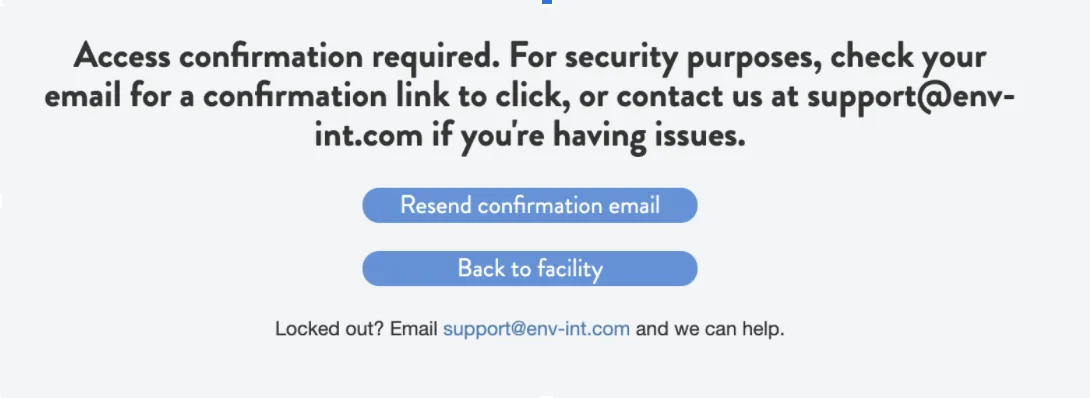
If your organization has not enabled Single Sign-On (SSO), every 7 days you will have to click a confirmation link emailed to you to access the app. This will also happen initially upon sign-up.
If you have any issues, contact us at support@env-int.com